android自定义相机模糊,Android 摄像头高斯模糊的示例代码
好久没写文章了,之前项目中有过这个需求但是时间紧就在上面盖了个半透明的白色图片,效果.....好了,不废话,先看一下效果吧注意了,这不是对单纯的图片进行高斯模糊,而是对摄像头实时处理原理:大体讲一下实现原理,摄像头回调的每一帧通过RenderScript将字节数组转换为Bitmap,再对Bitmap进行高斯模糊处理。流畅度还是不错的。毕竟RenderScript使用的是GPU去计算,速度比普通的用
好久没写文章了,之前项目中有过这个需求但是时间紧就在上面盖了个半透明的白色图片,效果.....
好了,不废话,先看一下效果吧
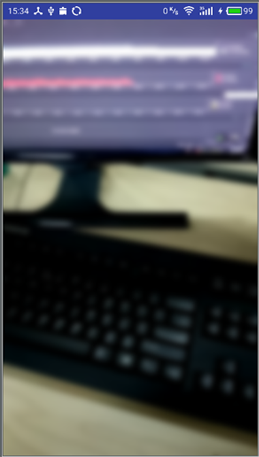
注意了,这不是对单纯的图片进行高斯模糊,而是对摄像头实时处理
原理:
大体讲一下实现原理,摄像头回调的每一帧通过RenderScript将字节数组转换为Bitmap,再对Bitmap进行高斯模糊处理。流畅度还是不错的。毕竟RenderScript使用的是GPU去计算,速度比普通的用CPU计算的方法快的多
核心代码:
/**
* 转换数据并进行模糊处理
*/
public Bitmap blur(byte[] data, Camera camera,float blurvaule){
Camera.Size previewSize = camera.getParameters().getPreviewSize();
if (yuvType == null)
{
yuvType = new Type.Builder(rs, Element.U8(rs)).setX(data.length);
in = Allocation.createTyped(rs, yuvType.create(), Allocation.USAGE_SCRIPT);
rgbaType = new Type.Builder(rs, Element.RGBA_8888(rs)).setX(previewSize.width).setY(previewSize.height);
out = Allocation.createTyped(rs, rgbaType.create(), Allocation.USAGE_SCRIPT);
}
in.copyFrom(data);
yuvToRgbIntrinsic.setInput(in);
yuvToRgbIntrinsic.forEach(out);
Bitmap bmpout = Bitmap.createBitmap(previewSize.width, previewSize.height, Bitmap.Config.ARGB_8888);
out.copyTo(bmpout);
//return adjustPhotoRotation(blurBitmap(bmpout,blurvaule),90);
return blurBitmap(bmpout,blurvaule);
}
/**
* 模糊处理Bitmap
* @param bitmap
* @return
*/
private Bitmap blurBitmap(Bitmap bitmap,float vaule) {
// 用需要创建高斯模糊bitmap创建一个空的bitmap
Bitmap outBitmap = Bitmap.createBitmap(bitmap.getWidth(), bitmap.getHeight(), Bitmap.Config.ARGB_8888);
// 初始化Renderscript,这个类提供了RenderScript context,
// 在创建其他RS类之前必须要先创建这个类,他控制RenderScript的初始化,资源管理,释放
// 创建高斯模糊对象
// 创建Allocations,此类是将数据传递给RenderScript内核的主要方法,
// 并制定一个后备类型存储给定类型
Allocation allIn = Allocation.createFromBitmap(rs, bitmap);
Allocation allOut = Allocation.createFromBitmap(rs, outBitmap);
// 设定模糊度
blurScript.setRadius(vaule);
// Perform the Renderscript
blurScript.setInput(allIn);
blurScript.forEach(allOut);
// Copy the final bitmap created by the out Allocation to the outBitmap
allOut.copyTo(outBitmap);
// recycle the original bitmap
bitmap.recycle();
// After finishing everything, we destroy the Renderscript.
rs.destroy();
return outBitmap;
}
ok,这两个方法就够了,将返回的Bitmap给ImageView就可以了,之前一直以为是用JNI实现的,试了一下才发现JAVA也可以,效果也不错,网上也没类似教程就写出来给需要的人。对了,还需要在项目的build.gradle中加入
defaultConfig {
.......
renderscriptTargetApi 21
renderscriptSupportModeEnabled true
}
具体使用方法和代码可以参考我Github的CameraView,这个控件也可以快速帮你实现摄像头的预览,拍照,加水印,高斯模糊的效果, https://github.com/bertsir/CameraView
以上就是本文的全部内容,希望对大家的学习有所帮助,也希望大家多多支持脚本之家。

华为开发者空间,是为全球开发者打造的专属开发空间,汇聚了华为优质开发资源及工具,致力于让每一位开发者拥有一台云主机,基于华为根生态开发、创新。
更多推荐



 0
0 0
0- 0


 已为社区贡献2条内容

所有评论(0)