css实现全屏上下滚动
效果代码<!DOCTYPE html><html><head><meta charset="utf-8"><meta name="viewport" content="width=device-width, initial-scale=1.0, user-scalable=no, minimum-sacle=1, maximum-scale=1
·
效果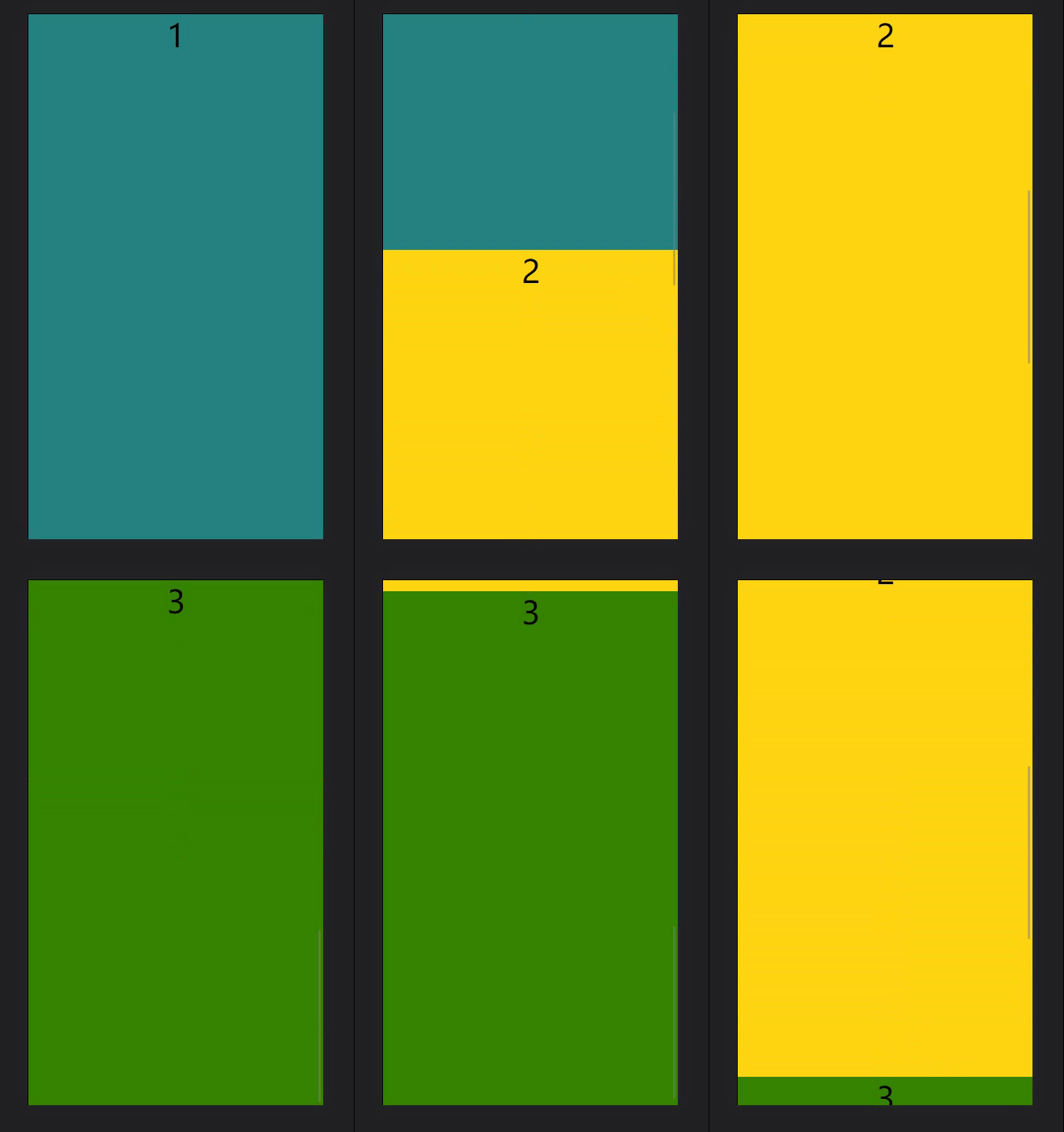
代码
<!DOCTYPE html>
<html>
	<head>
		<meta charset="utf-8">
		 <meta name="viewport" content="width=device-width, initial-scale=1.0, user-scalable=no, minimum-sacle=1, maximum-scale=1" >
		<title></title>
		<style>
		html,body{
			height: 100%;
			margin: 0;
		}
			ul {
				margin: 0;
				 scroll-behavior: smooth;
				font-size: 40px;
				display: flex;
				flex-direction: column;
				width: 100%;
				height: 100%;
				overflow-y: auto;
				overflow-x: hidden;
				border: 1px solid #000;
				scroll-snap-type:y mandatory;/*设置父级*/
				padding: 0;
			}

			li {
				height: 100%;
				width: 100%;
				flex-shrink: 0;
				scroll-snap-align: center;/*子级设置*/
				text-align: center;
			}
			li:nth-child(1){
				background-color: teal;
			}
			li:nth-child(2){
				background-color: gold;
			}
			li:nth-child(3){
				background-color: green;
			}
		</style>
	</head>
	<body>
		<ul>
			<li >1</li>
			<li >2</li>
			<li >3</li>
		</ul>
	</body>
</html>
主要设置的css属性:
父容器设置:scroll-snap-type:y mandatory
子项设置:scroll-snap-align:center
注意:父容器必需要是滚动的,要不然就不起作用了。

华为开发者空间,是为全球开发者打造的专属开发空间,汇聚了华为优质开发资源及工具,致力于让每一位开发者拥有一台云主机,基于华为根生态开发、创新。
更多推荐



 4
4 0
0- 0


 已为社区贡献5条内容

所有评论(0)