The ‘mode‘ option has not been set,Module parse failed: Unexpected token (1:0) You may need an appro
webpack报错,webpack引入css报错,You may need an appropriate loader to ,··The 'mode' option has not been set, webpack will fallback to 'production' for this value.Set 'mode' option to 'development' or 'produc
·
一、报错:The ‘mode’ option has not been set, webpack will fallback to ‘production’ for this value…
The 'mode' option has not been set, webpack will fallback to 'production' for this value.
Set 'mode' option to 'development' or 'production' to enable defaults for each environment.
You can also set it to 'none' to disable any default behavior. Learn more: https://webpack.js.org/configuration/mode/

webpack 5.74.0 compiled with 1 warning in 1821 ms
1.在package.json
"scripts": {
    "test": "echo \"Error: no test specified\" && exit 1",
    "dev": "webpack --mode development",
    "build": "webpack --mode production"
  },
2.webpack.config.js
const path = require('path');

module.exports = {
    entry: './src/index.js',
    output: {
        filename: 'bundle.js',
        path: path.resolve(__dirname, 'dist')
    },
    mode: 'development',
    module: {
        rules: [
            {
                test: '/\.css$/,',
                use: [
                    'style-loader',
                    'css-loader'
                ]
            }
        ]
    }
}
cmd中运行即可解决
npm i -D webpack@3
二、引入报错css报错
./src/style.css 1:0 Module parse failed: Unexpected token (1:0) You may need an appropriate loader to handle this file type, currently no loaders are configured to process this file. See https://webpack.js.org/concepts#loaders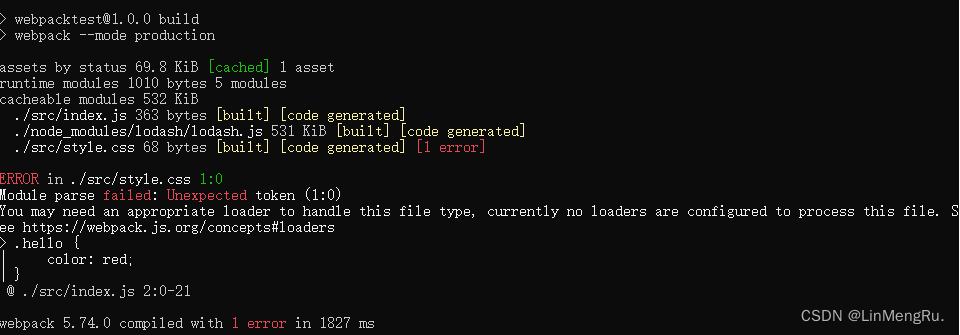
1.需要将index.js头部导入换一下
// import './style.css';
import 'style-loader!css-loader!./style.css';
更改后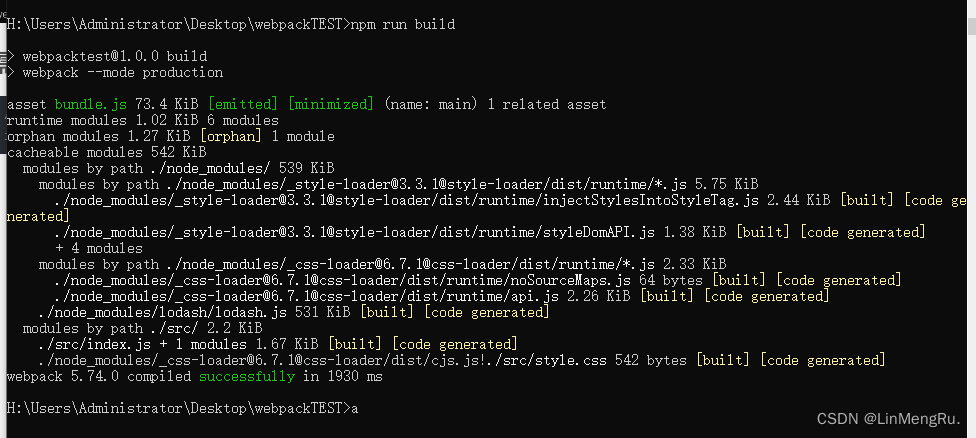
三、npm run bulid后。 ‘webpack’ 不是内部或外部命令,也不是可运行的程序或批处理文件。
只需要
npm install
再即可
npm run bulid

华为开发者空间,是为全球开发者打造的专属开发空间,汇聚了华为优质开发资源及工具,致力于让每一位开发者拥有一台云主机,基于华为根生态开发、创新。
更多推荐



 1
1 0
0- 0


 已为社区贡献4条内容

所有评论(0)