android 滑动控件seekbar,progressSeekBar 一款进度条控件,可点可滑动
progressSeekBar一款进度条控件,可点可滑动效果 使用:implementation ("com.kyle:progressSeekBar:1.0.0")布局中:android:id="@+id/seekBar"android:layout_width="match_parent"app:txtColor="@color/colorPrimary"//文字颜色app:txtSize..
progressSeekBar
一款进度条控件,可点可滑动
效果
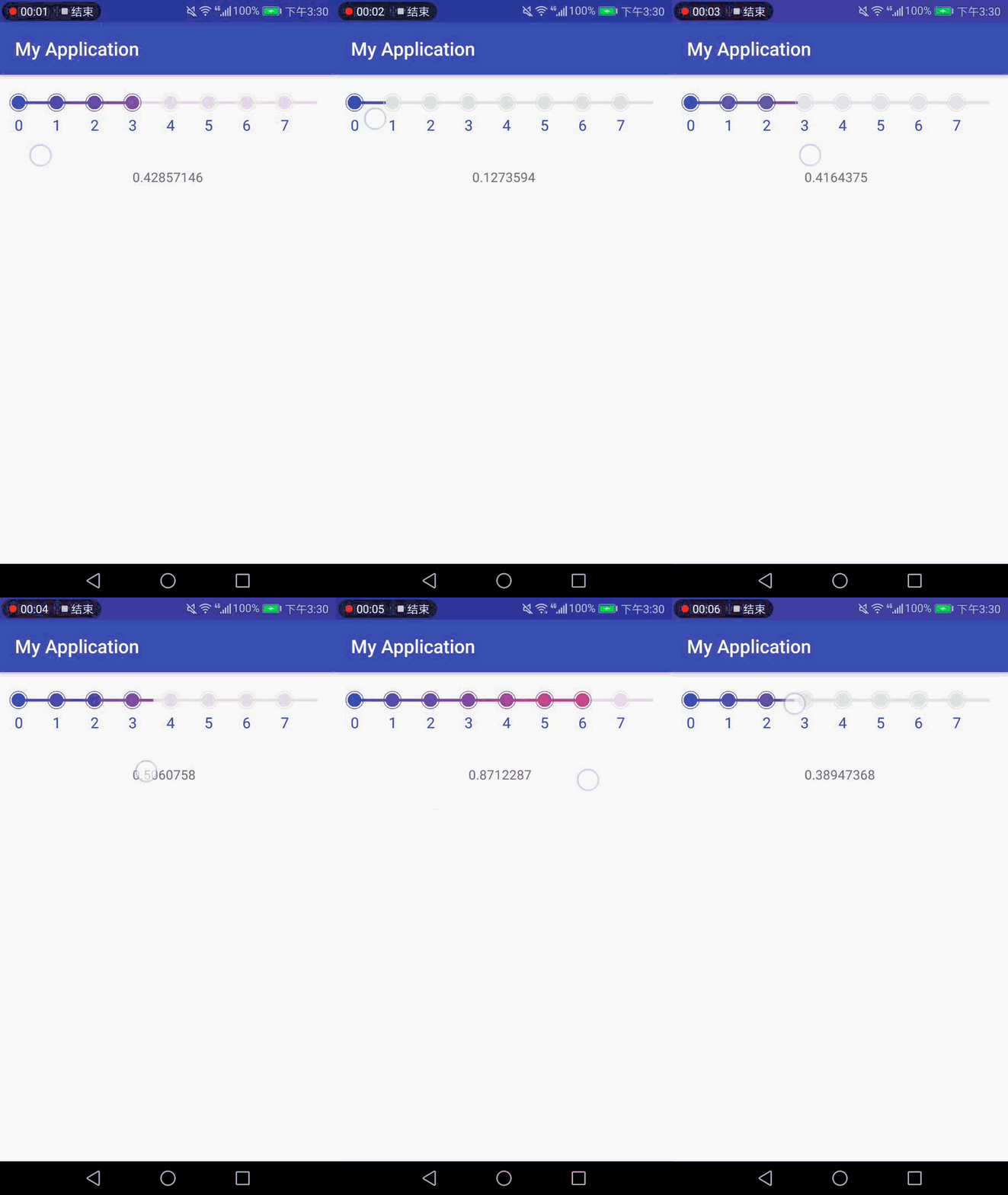
使用:
implementation ("com.kyle:progressSeekBar:1.0.0")
布局中:
android:id="@+id/seekBar"
android:layout_width="match_parent"
app:txtColor="@color/colorPrimary" //文字颜色
app:txtSize="16dp" //文字大小
app:viewMarginTop="30dp" //布局上间距
app:viewMarginLeft="20dp" //布局左间距
app:viewMarginRight="20dp" //布局右间距
app:txtMargin="15dp" //文字和进度条的距离
app:childRadius="15dp" //圆圈半径
app:startColor="@color/colorPrimary"//渐变色起始颜色
app:endColor="@color/colorAccent" //渐变色结束颜色
app:grayColor="#e1e1e1" //进度条初始颜色
app:lineHeight="3dp" //进度条高度(不含圆圈)
app:maxCount="5" //圆圈数量
app:maxUnit="60" //单位最大数值 比如1-60分钟,就写60
app:lineOverLength="35dp" //超出最大值的线条长度
android:layout_height="100dp" />
监听进度
seekBar.setOnProgressChangeListener { progress ->
tvProgress.text = progress.toString()
}

华为开发者空间,是为全球开发者打造的专属开发空间,汇聚了华为优质开发资源及工具,致力于让每一位开发者拥有一台云主机,基于华为根生态开发、创新。
更多推荐


 0
0 0
0- 0


 已为社区贡献1条内容

所有评论(0)