Ajax介绍和Axios使用
·
一.Ajax简介
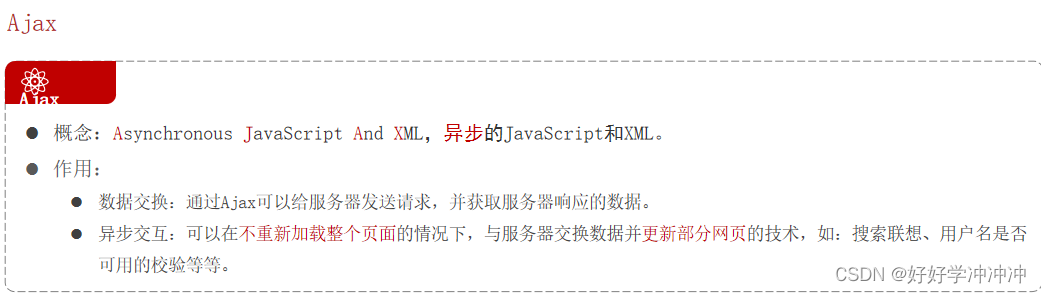
同步和异步的区别
异步:并行处理,程序向服务器发送一个请求,在结果返回之前,还是可以执行其它操作,不需要等待响应结果
同步:在客户端向服务器发送请求之后,直到服务器处理后逻辑产生响应之后客户端才能执行其他操作。(比如在搜索框内输入网址访问后,只有整个html页面加载出来了,但是点击任何一个地方都没法跳转,只有整个页面完全加载完成,在服务器端响应完成之后,在网页上的操作才会有反应。)
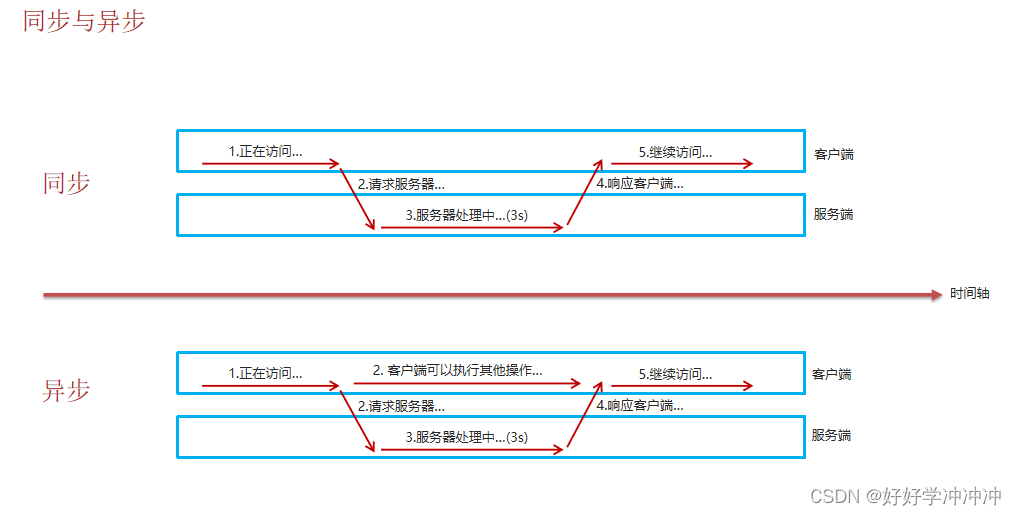
(XML简介:
XML 被设计用来传输和存储数据。HTML 被设计用来显示数据。XML 指可扩展标记语言)

前后端交互的主流方式是JSON
Ajax核心: XMLHttpRequest对象
XMLHttpRequest对象用于同幕后服务器进行数据交流,可以更新网页的部分,而不用重新加载整个页面
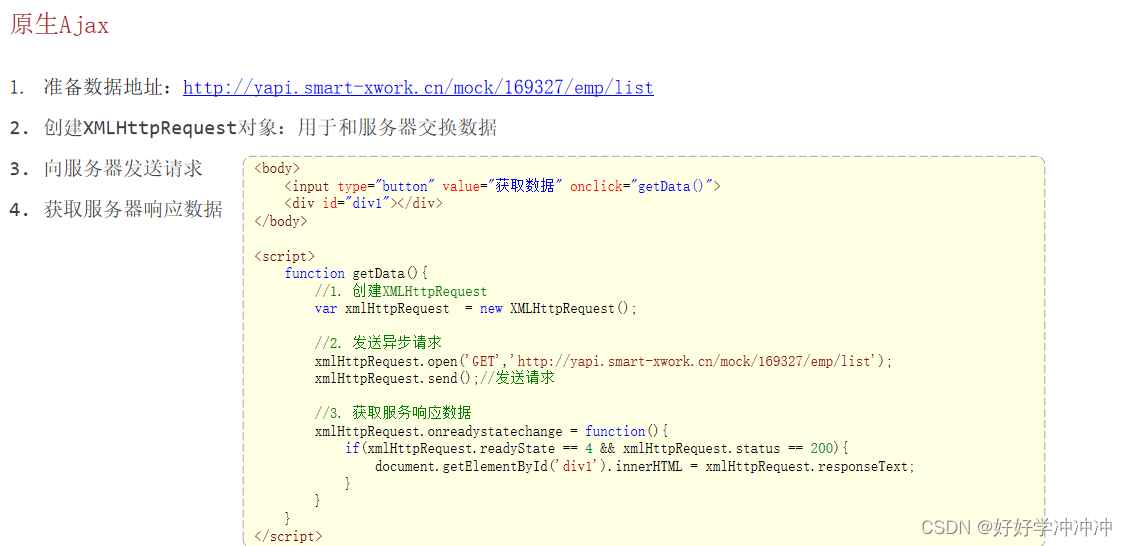
<body>

    <input type="button" value="获取数据" onclick="getData()">

    <div id="div1"></div>

</body>
<script>
    function getData(){
        //1. 创建XMLHttpRequest
        var xmlHttpRequest  = new XMLHttpRequest();

        //2. 发送异步请求
        xmlHttpRequest.open('GET','http://yapi.smart-xwork.cn/mock/169327/emp/list');
        xmlHttpRequest.send();//发送请求

        //3. 获取服务响应数据
        xmlHttpRequest.onreadystatechange = function(){
            if(xmlHttpRequest.readyState == 4 && xmlHttpRequest.status == 200){
                document.getElementById('div1').innerHTML = xmlHttpRequest.responseText;
            }
        }
    }
</script>
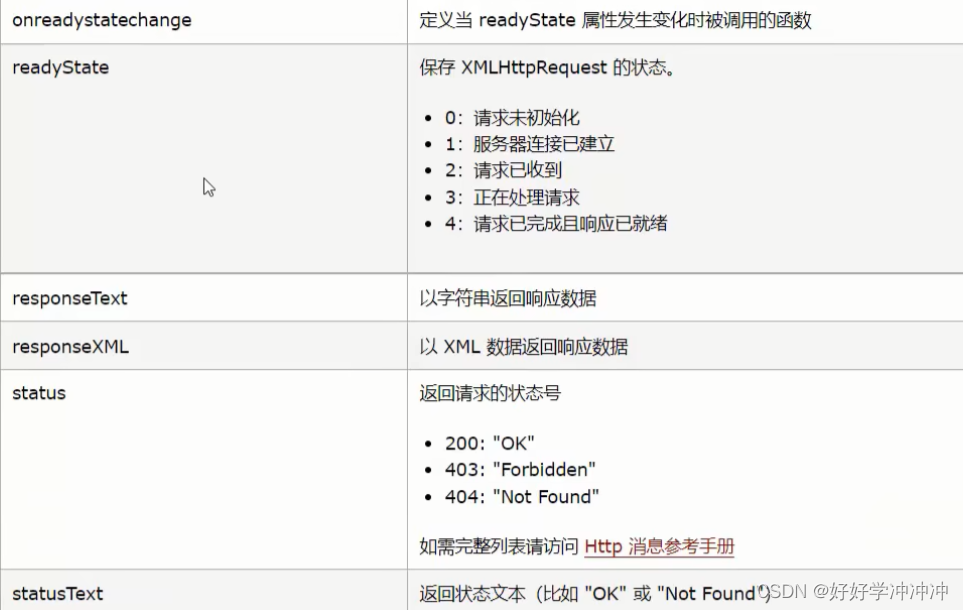
XMLHttpRequest属性
二.Axios
简介
Axios 对原生的Ajax进行了封装,简化书写,快速开发。 官网:https://www.axios-http.cn/
繁琐写法
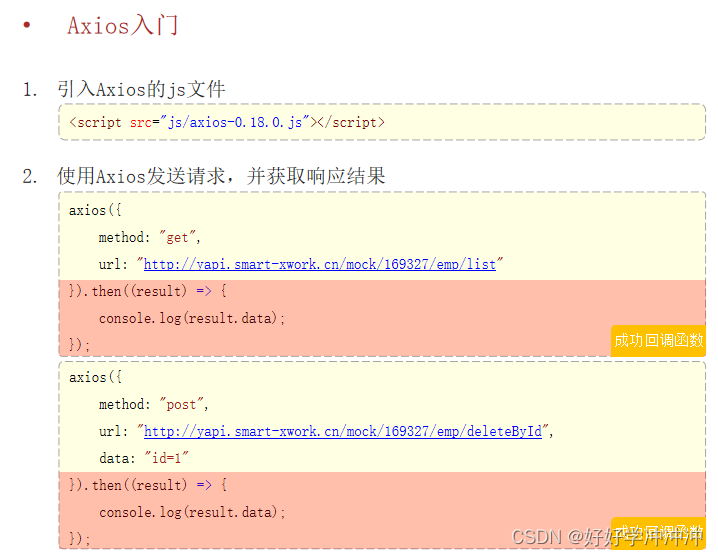
简便写法
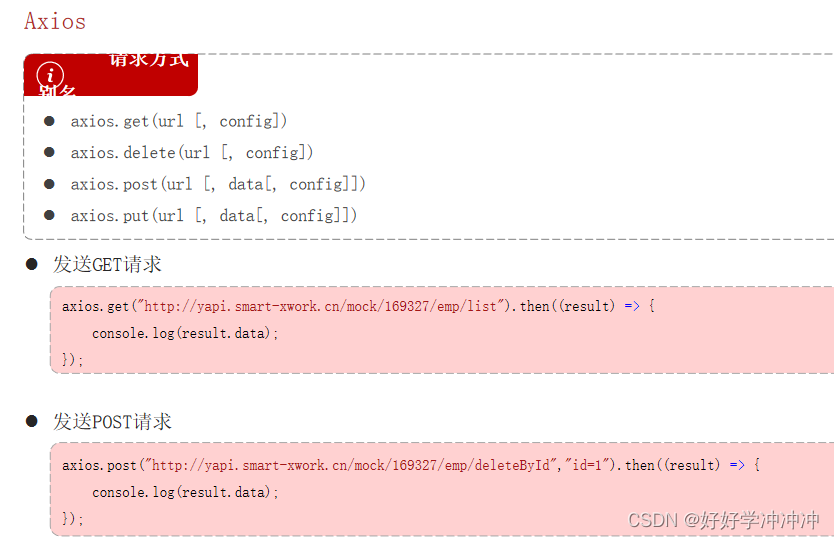
    function getData(){
      // axios({
      //   method: 'GET',
      //   url:"http://yapi.smart-xwork.cn/mock/169327/emp/list"

      // }).then((result)=>
      // {
      //   console.log(result.data);
      // })
      //所需参数拼接在url后面 ?...
      axios.get("http://yapi.smart-xwork.cn/mock/169327/emp/list").then((result)=>
      {
        console.log(result.data);
      })
    }

      function deleteData(){
      // axios({
      //   method: 'post',
      //   url:"http://yapi.smart-xwork.cn/mock/169327/emp/deleteById",
      //   data:"id=1"

      // }).then((result)=>
      // {
      //   console.log(result.data);
      // })

      //所需参数补在url后面
      axios.post('http://yapi.smart-xwork.cn/mock/169327/emp/deleteById',"id=1").then((result)=>
      {
        console.log(result.data);
      })
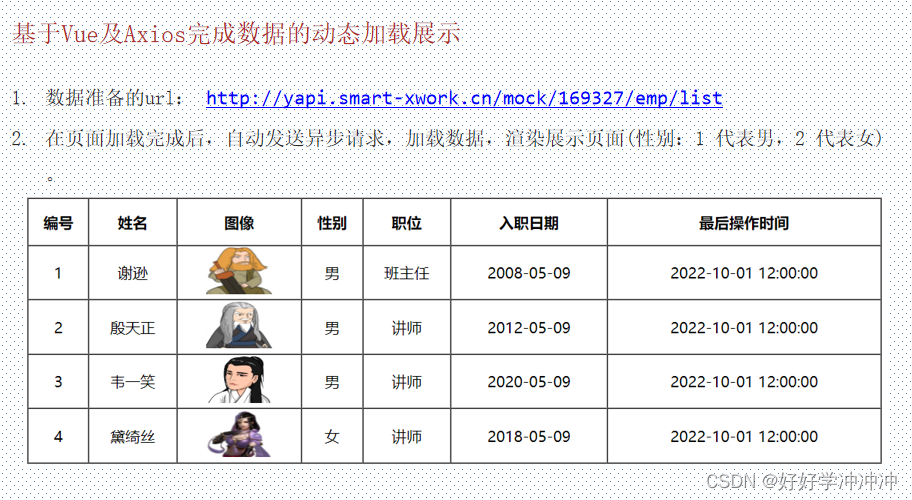
三.案例
注:
若是从后台接受的是json数据,可以直接从response.data中获取json数据
在mounted()钩子函数里发出异步申请
<body>
    <div id="app">
        <table border="1" cellspacing="0" width="60%">
            <tr>
                <th>编号</th>
                <th>姓名</th>
                <th>图像</th>
                <th>性别</th>
                <th>职位</th>
                <th>入职日期</th>
                <th>最后操作时间</th>
            </tr>

            <tr align="center" v-for="(emp,index) in emps">
                <td>{{index + 1}}</td>
                <td>{{emp.name}}</td>
                <td>
                    <img :src="emp.image" width="70px" height="50px">
                </td>
                <td>
                    <span v-if="emp.gender == 1">男</span>
                    <span v-if="emp.gender == 2">女</span>
                </td>
                <td>{{emp.job}}</td>
                <td>{{emp.entrydate}}</td>
                <td>{{emp.updatetime}}</td>
            </tr>
        </table>
    </div>
</body>
<script>
    new Vue({
        el: "#app",
        data: {
        emps:[]
        },
        mounted () {
          //发送异步请求,加载数据


        axios.get("http://yapi.smart-xwork.cn/mock/169327/emp/list").then(result => {
            this.emps = result.data.data;
        })
        }
    });
</script>

华为开发者空间,是为全球开发者打造的专属开发空间,汇聚了华为优质开发资源及工具,致力于让每一位开发者拥有一台云主机,基于华为根生态开发、创新。
更多推荐

 0
0 0
0- 0


 已为社区贡献1条内容

所有评论(0)