解决报错error resource androidattrdialogCornerRadius not found
·
解决报错error: resource android:attr/dialogCornerRadius not found
1.问题描述
运行Android Studio程序,产生报错error: resource android:attr/dialogCornerRadius not found
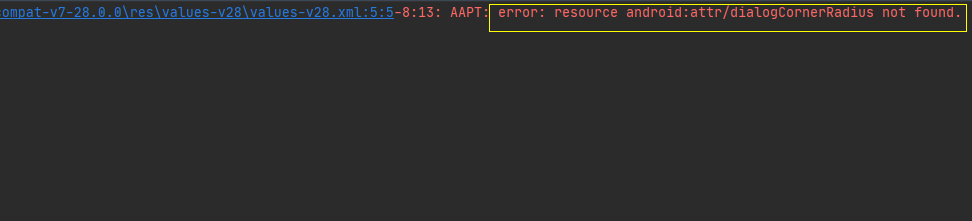
2.分析原因
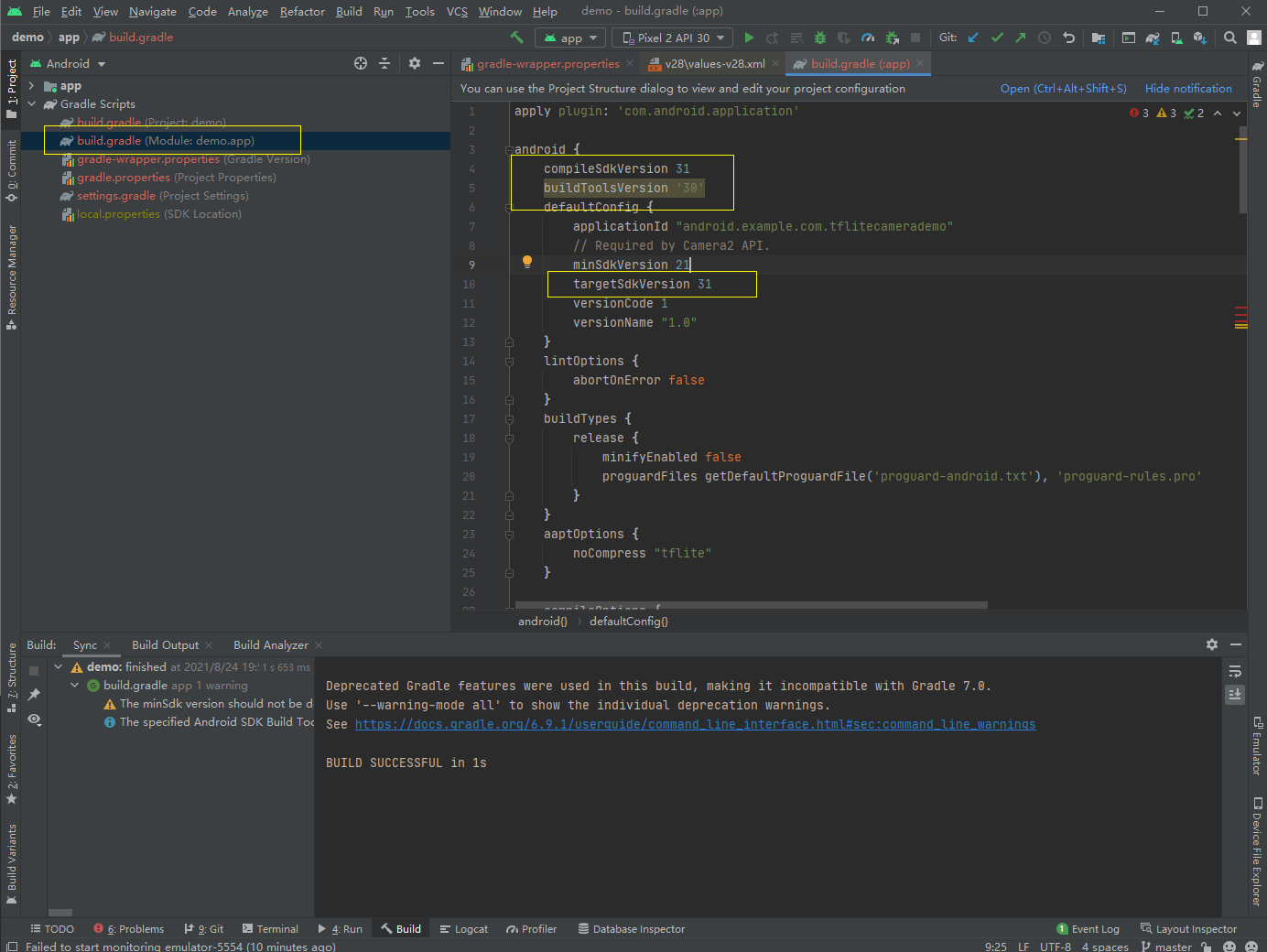
compileSdkVersion、buildToolsVersion与targetSdkVersion版本不匹配
3.解决方法
设置compileSdkVersion、buildToolsVersion处于高版本,而targetSdkVersion处于低版本
4.具体操作步骤
step1:查看Compile Sdk Version、Build Tools Version、targetSdkversion三者版本号
step2:在Project Structure界面下,选中Modules,修改Compile Sdk Version和Build Tools Version版本号
要求:Compile Sdk Version和Build Tools Version版本要高于targetSdkversion
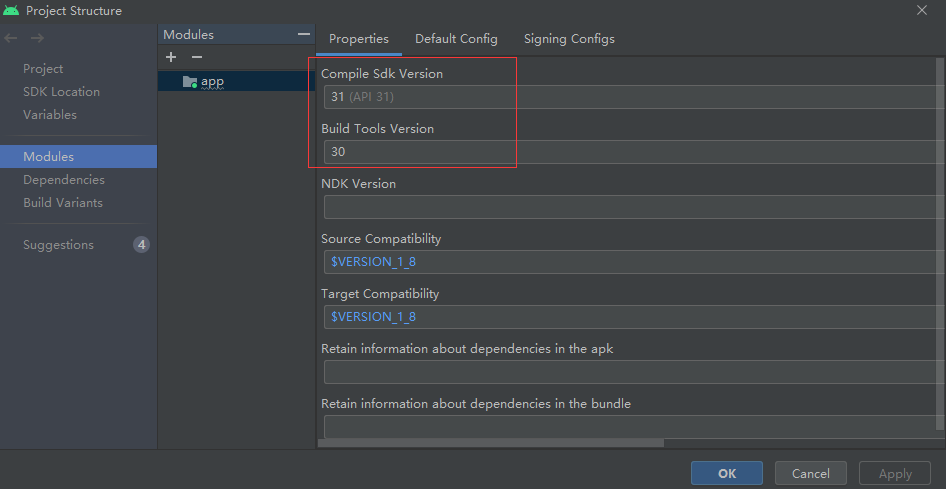
step3:第2步修改版本号后,Android Studio会自动更新,更新完毕后,再次运行程序,报错问题解决。

华为开发者空间,是为全球开发者打造的专属开发空间,汇聚了华为优质开发资源及工具,致力于让每一位开发者拥有一台云主机,基于华为根生态开发、创新。
更多推荐

 1
1 0
0- 0


 已为社区贡献4条内容

所有评论(0)