【CSS篇】父元素设置min-height,子元素height 100%失效问题
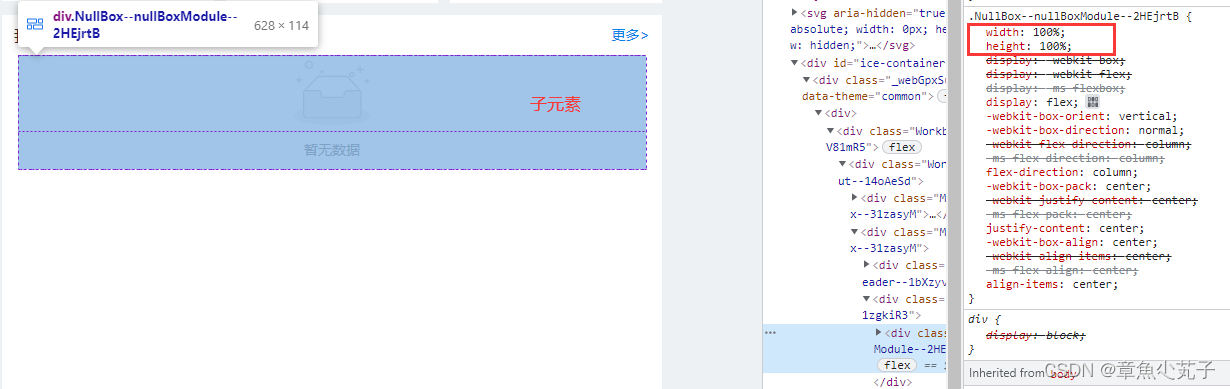
当父元素设置了min-height,子元素设置height为100%,此时子元素的height 100%失效
·
问题描述
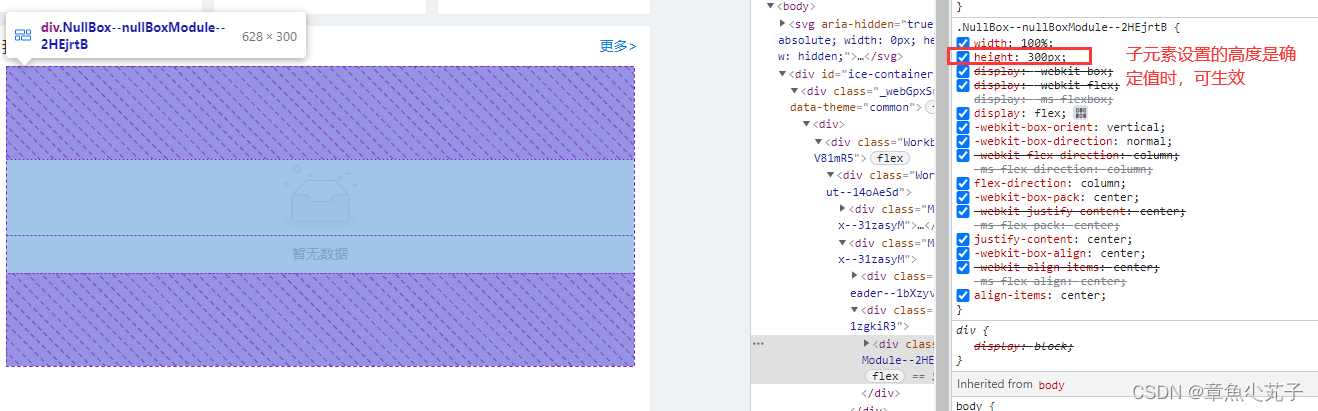
当父元素设置了min-height后,子元素设置height为100%,发现子元素的height 100%失效,即无法根据父级的高度自适应,而是根据自身内部元素撑开高度,若子元素设置了确定的高度,则高度设置是生效的。如下图所示: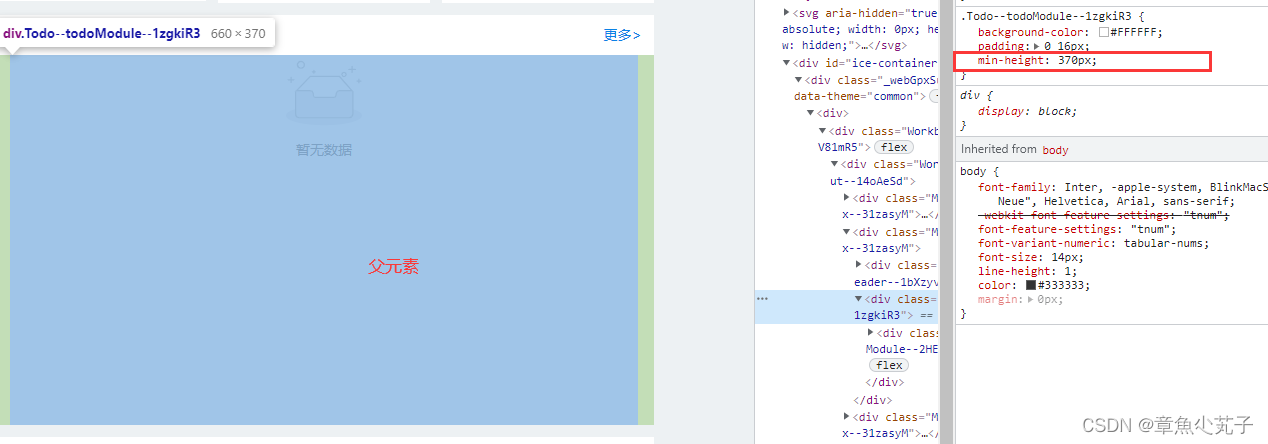
css代码如下:
.todoModule {
  background-color: #fff;
  padding: 0 16px;
  min-height: 370px;
}

.nullBoxModule {
  width: 100%;
  height: 100%;
  display: flex;
  flex-direction: column;
  justify-content: center;
  align-items: center;
}
这是由于父元素只设置了min-height,但并没有确定的高度,因此子元素无法根据父元素的高度进行计算。
解决方案
父级设置相对定位,子元素设置绝对定位(此处注意设置子元素的宽度):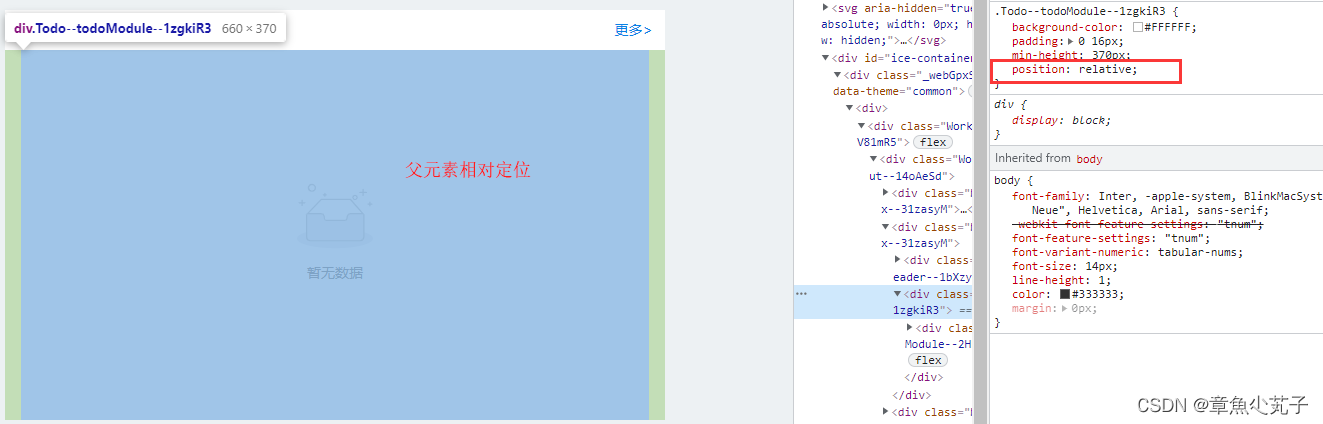
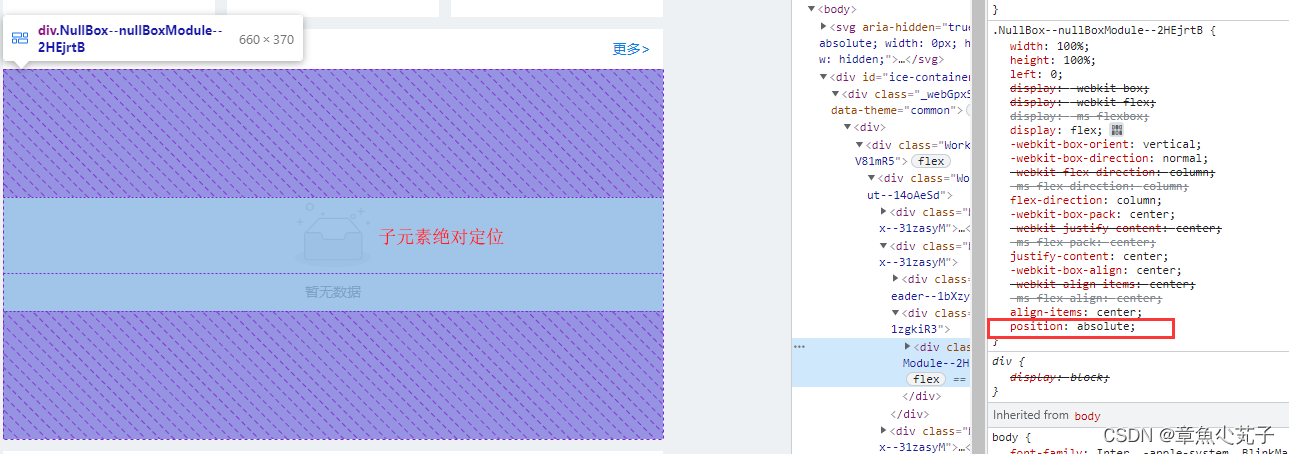
修改后的css代码如下:
.todoModule {
  background-color: #fff;
  padding: 0 16px;
  min-height: 370px;
  position: relative;
}

.nullBoxModule {
 width: 100%;
  height: 100%;
  left: 0;
  display: flex;
  flex-direction: column;
  justify-content: center;
  align-items: center;
  position: absolute;
}
本文参考文章:https://www.jianshu.com/p/39bb73dbe695

华为开发者空间,是为全球开发者打造的专属开发空间,汇聚了华为优质开发资源及工具,致力于让每一位开发者拥有一台云主机,基于华为根生态开发、创新。
更多推荐



 6
6 0
0- 0


 已为社区贡献1条内容

所有评论(0)